Plugins can either make your WooCommerce dropshipping store scalable — or completely destroy performance and stability.
In 2026, using fewer but smarter plugins is the winning strategy.
This guide covers the best WooCommerce plugins for dropshipping, grouped by purpose, so you can build a fast, reliable store without plugin overload.
What to Look for in WooCommerce Plugins (2026)
- Lightweight and well-maintained
- Compatible with latest WooCommerce versions
- No unnecessary frontend scripts
- Clear purpose (one plugin, one job)
- Good support and documentation
More plugins do not mean more features — they usually mean more problems.
1. WooCommerce (Core Plugin)
WooCommerce itself is the foundation. Keep it updated and avoid overriding core functionality unless necessary.
- Order management
- Payments and checkout
- Product variations
- Refund handling
2. AIOSEO or Rank Math (SEO)
SEO is critical for organic traffic and AdSense revenue.
Choose one SEO plugin — never multiple.
- Title and meta control
- Schema markup
- XML sitemaps
- WooCommerce SEO support
Best for: Long-term organic traffic growth.
3. WP Rocket or LiteSpeed Cache (Performance)
Caching is mandatory for WooCommerce performance.
Choose a cache plugin that matches your hosting setup.
- Page caching
- Database optimization
- Script delay and optimization
- Image lazy loading
Note: Do not stack multiple cache plugins.
4. Cloudflare (Security + CDN)
Cloudflare is not a WordPress plugin, but it is essential for dropshipping stores.
It protects your site and improves global loading speed.
- DDoS protection
- Web Application Firewall
- Global CDN
- Lower server load
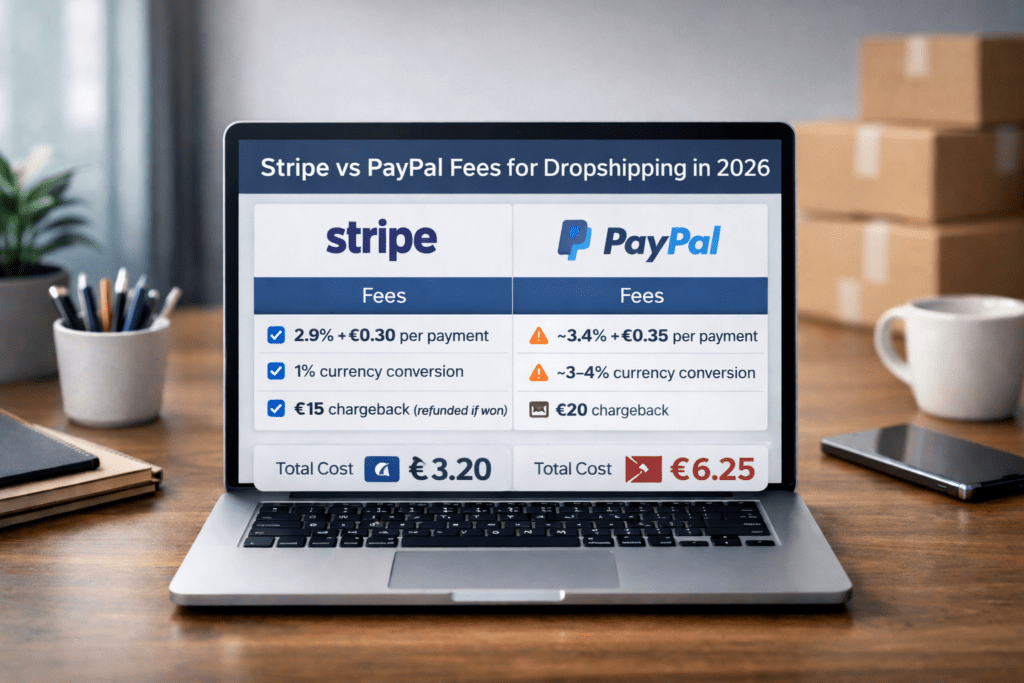
5. Payment Gateway Plugins (Stripe + PayPal)
Always use official payment gateway plugins.
Avoid third-party or “optimized” versions.
- Stripe for WooCommerce
- PayPal Payments for WooCommerce
Using official plugins reduces the risk of payment issues and compatibility problems.
6. Dropshipping / Product Sync Plugins
If you use suppliers or external catalogs, choose plugins that:
- Sync stock reliably
- Do not overload your database
- Allow manual overrides
Avoid plugins that auto-import thousands of products without control.
7. Order & Fulfillment Tools
As order volume grows, manual handling becomes impossible.
- Order status automation
- Email notifications
- Supplier communication tools
Automation reduces mistakes and improves customer experience.
8. Email & Customer Communication
Good communication reduces refunds and chargebacks.
- Transactional email plugins
- Order status notifications
- Support inbox or CRM integration
Plugins You Should Avoid
- “All-in-one” mega plugins
- Multiple page builders
- Plugins that inject scripts on every page
- Abandoned or rarely updated plugins
Every plugin adds risk. Only install what you truly need.
Recommended Plugin Stack (2026)
- WooCommerce
- AIOSEO or Rank Math
- WP Rocket or LiteSpeed Cache
- Cloudflare
- Stripe + PayPal official plugins
- One fulfillment or sync plugin (if needed)
Final Verdict
A fast, scalable WooCommerce dropshipping store is built on:
- Strong hosting
- Minimal plugins
- Clean integrations
If a plugin does not clearly increase revenue, speed, or stability — it does not belong in your store.
At Money Drip, we focus on lean, scalable WooCommerce setups that grow without breaking under traffic or order volume.